Important notes
When using theWrench, please keep the following items in mind:
CTRL + SPACEis the most common keyboard shortcut you will use. Use it to add new elements or modify existing elements in your flow's code.- Save frequently. Save each asset individually. Save is not global and applies only to the asset which you are currently working on.
- The browser's “back” button is not supported. Instead, navigate assets via the right-side menu.
- When creating a new decision table, set hit policy to FIRST. (The default is ALL).
- Setting a “catch-all” row in a decision table is a good way to catch logic holes and simplify tables at the same time.
- The
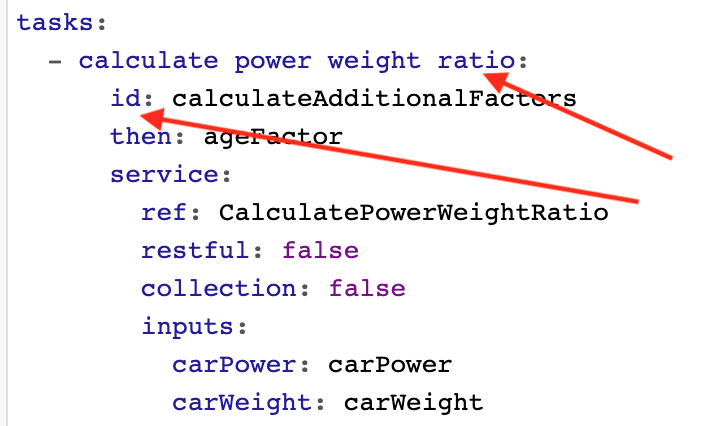
then:keyword defaults to a value ofthen: next, which serves only to visually draw an arrow between flow tasks on the diagram. It does not link the tasks functionally. - The blue text above a task is its description, not its ID. This description can be edited to enhance readability on the flow diagram without changing the ID of the item itself.